Your CTD summary, any cycle
Pick a three-year cycle, review the certificates and CTDs counted in it, then download your CTD Summary PDF or email it to yourself. Included free with your account.
 Training Certificate Manager
Your professional training records in one place.
Training Certificate Manager
Your professional training records in one place.
Companies set their own training policies, individuals set personal goals in any unit, NETA technicians track CTD cycles, and everyone can see what is current, due soon or overdue.
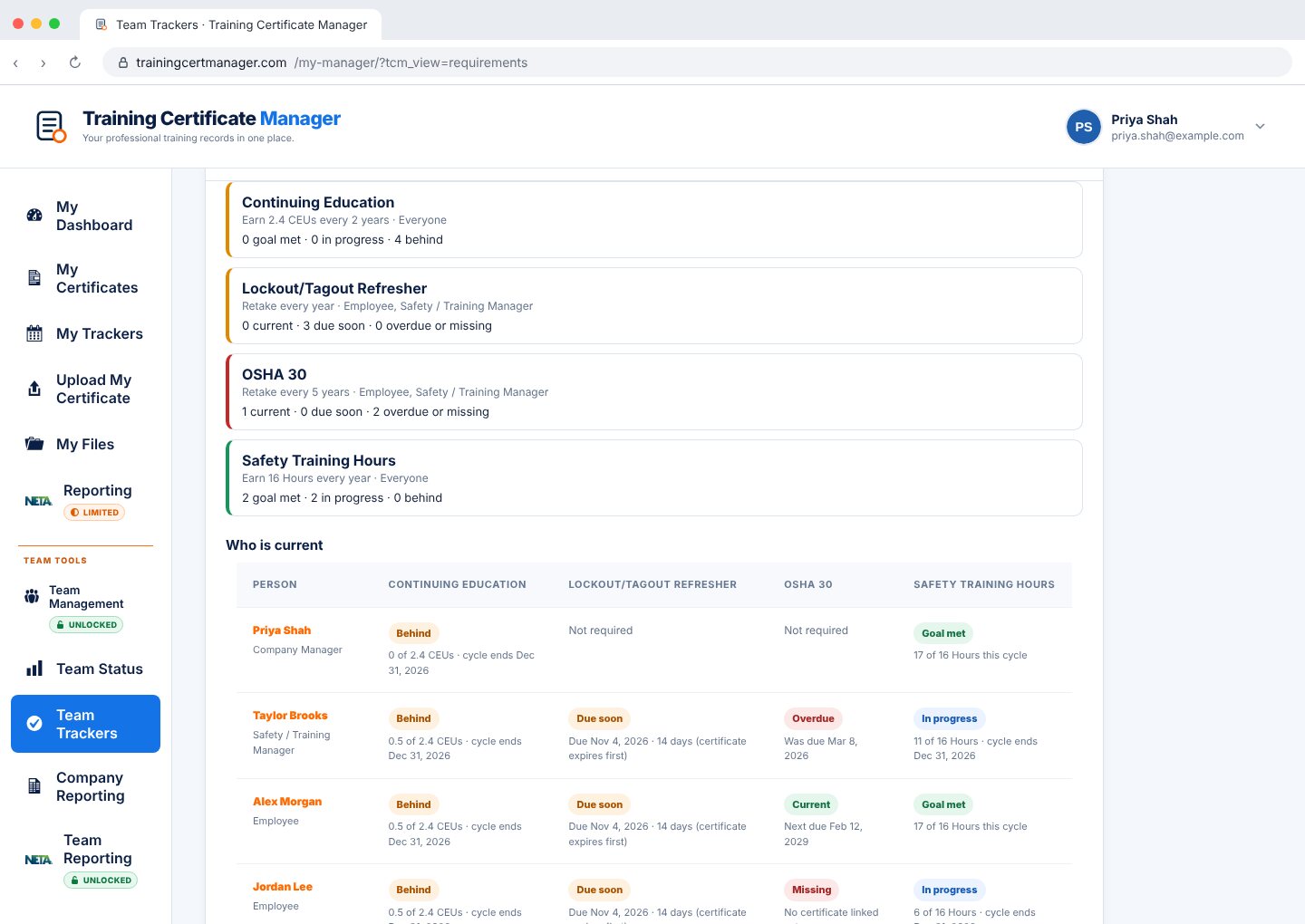
OSHA says OSHA 30 never expires, but your jobsites want it refreshed every 5 years. Write that rule once and Training Certificate Manager tracks it for every employee it applies to.
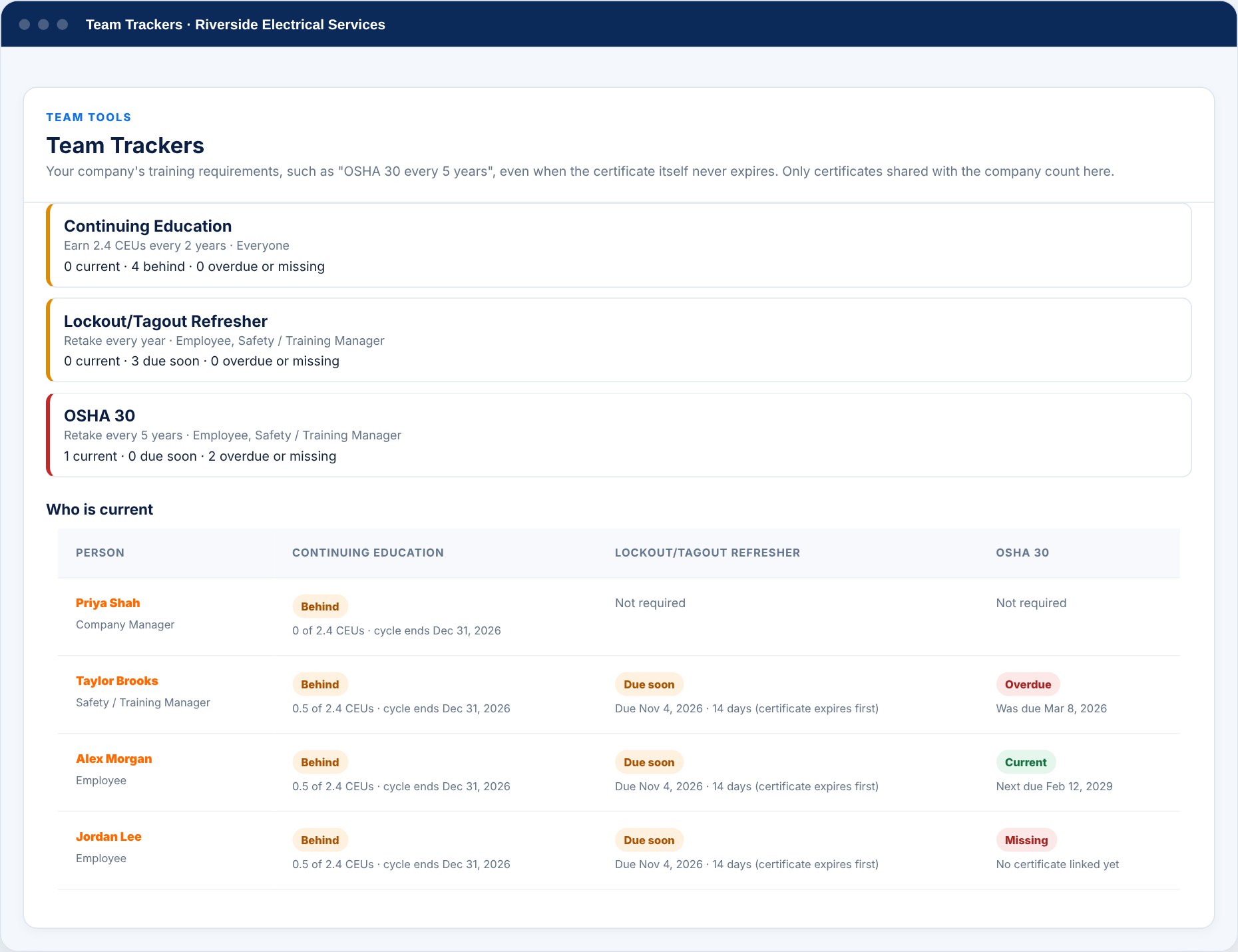
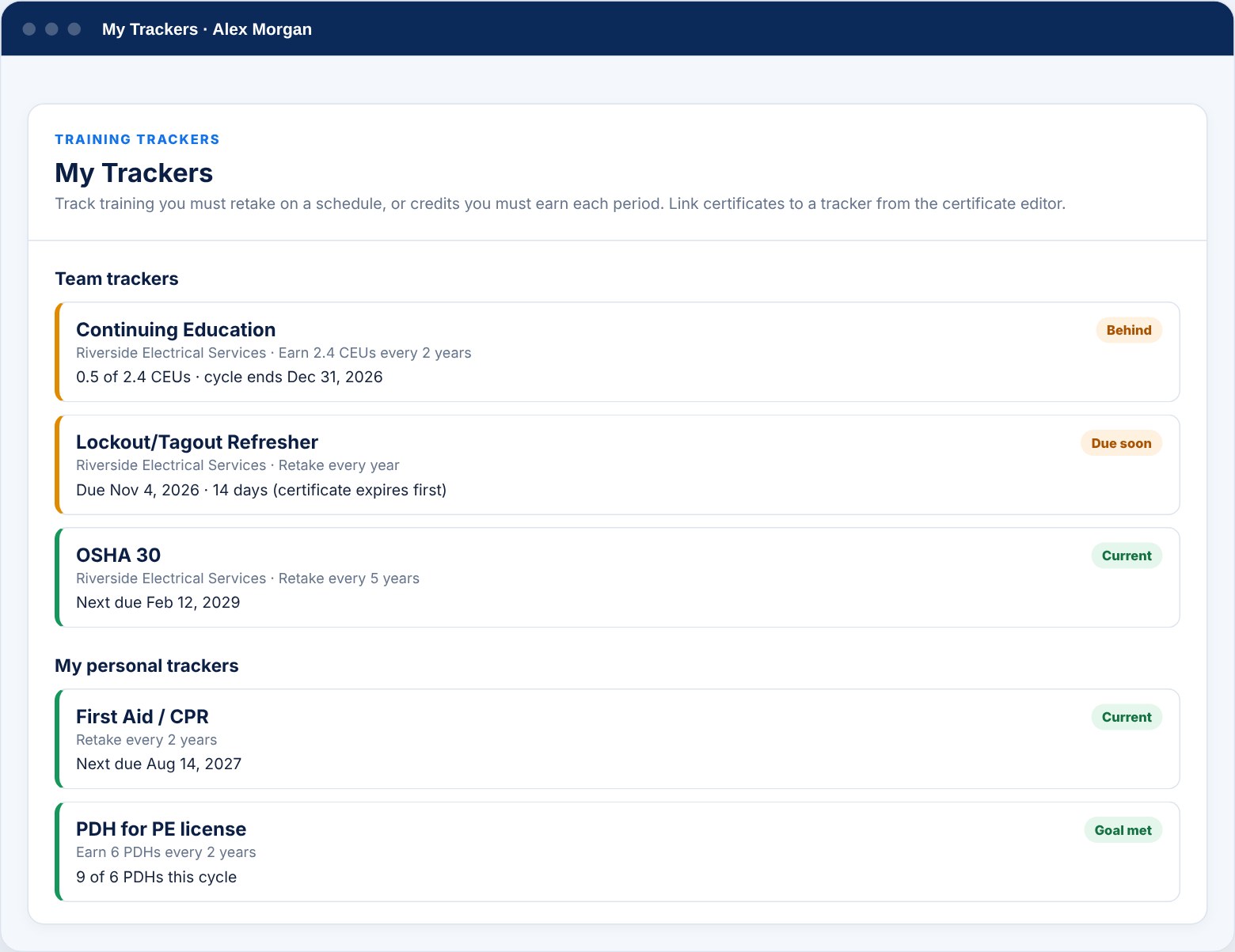
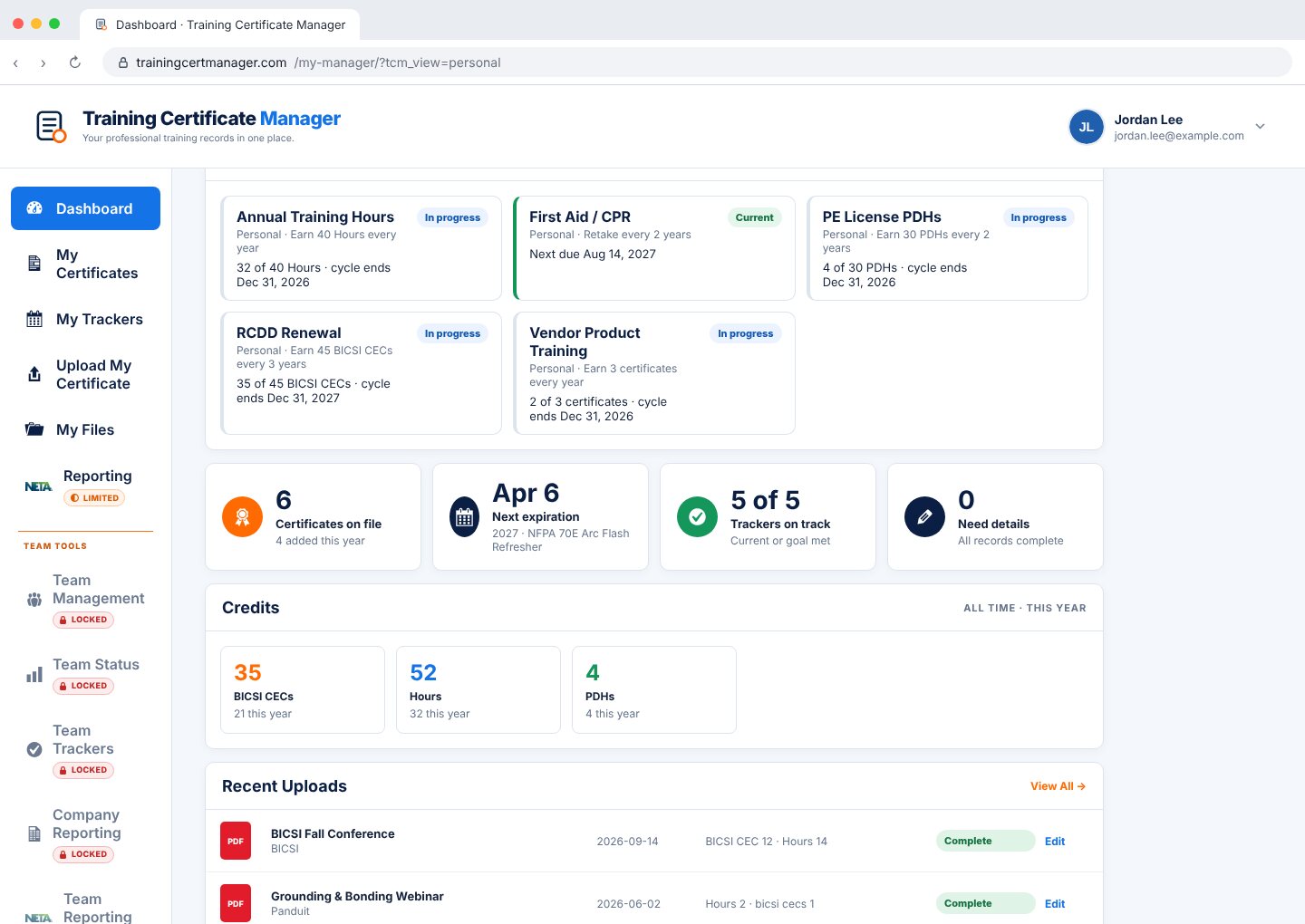
Create as many trackers as you need, with or without a company account. Your company's requirements appear right beside your own.
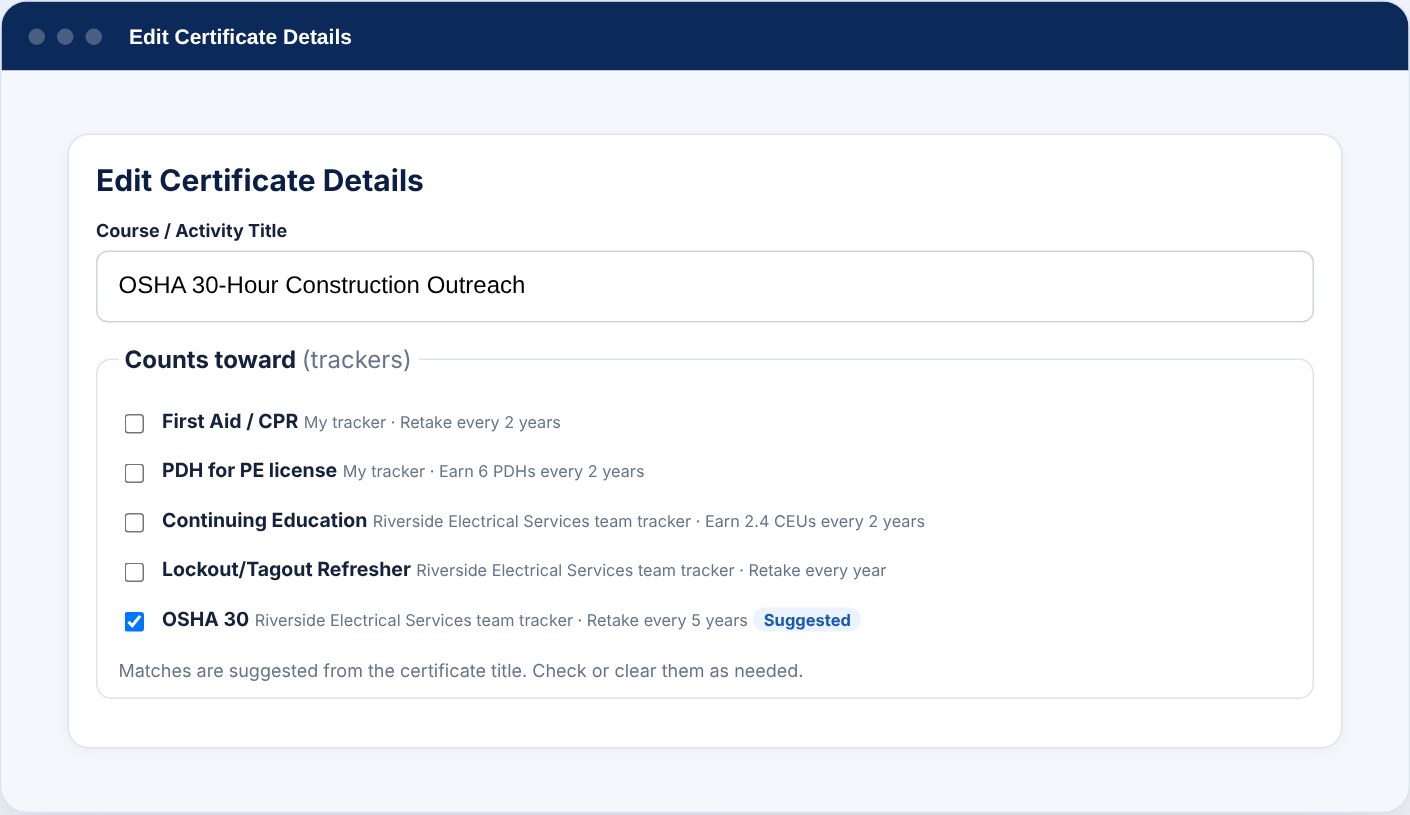
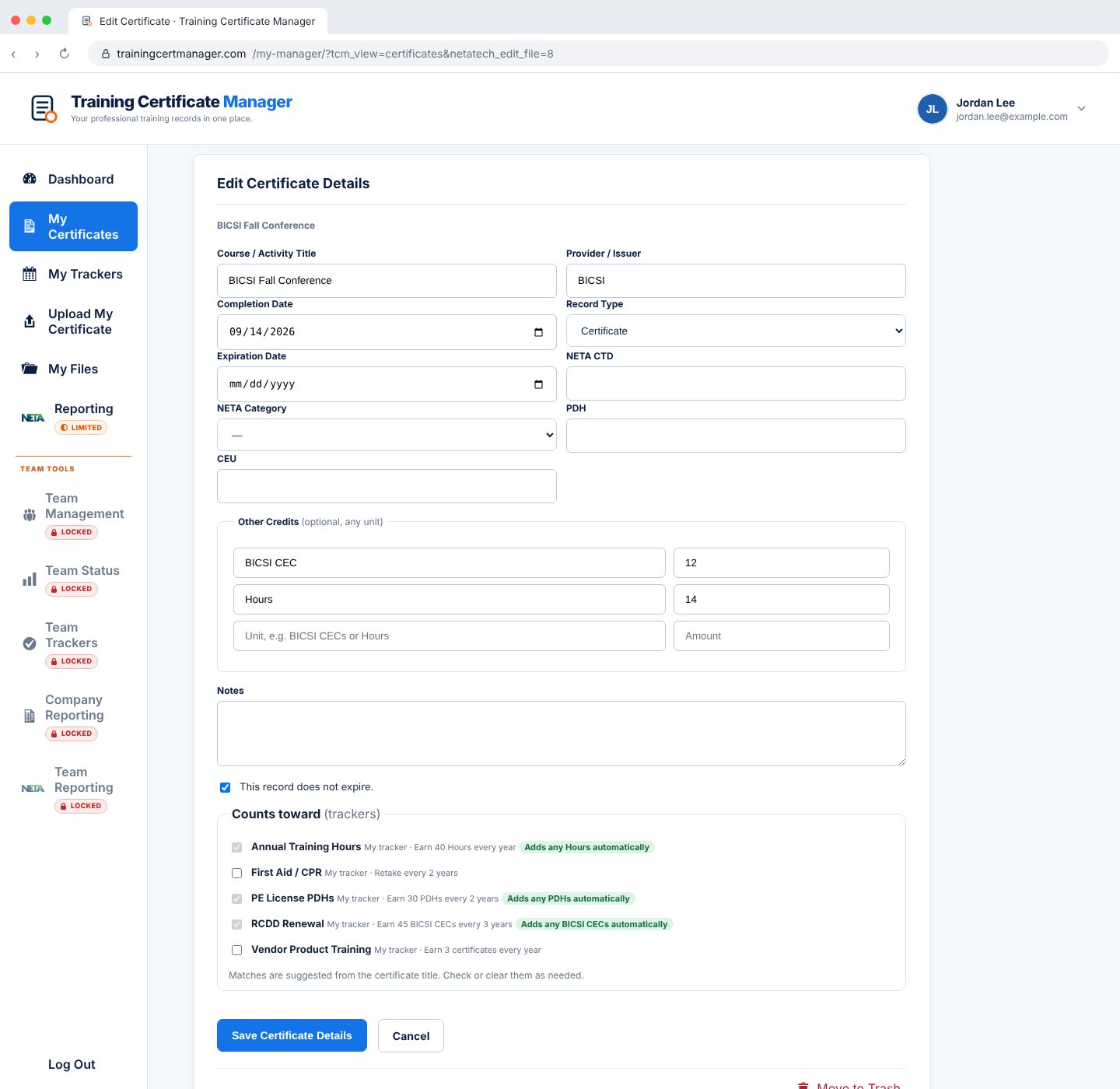
When you edit a certificate, a Counts toward checklist shows every tracker that applies to you. If the title contains a tracker's keywords, such as "OSHA 30", that box is checked for you. Clear it or check others before you save.
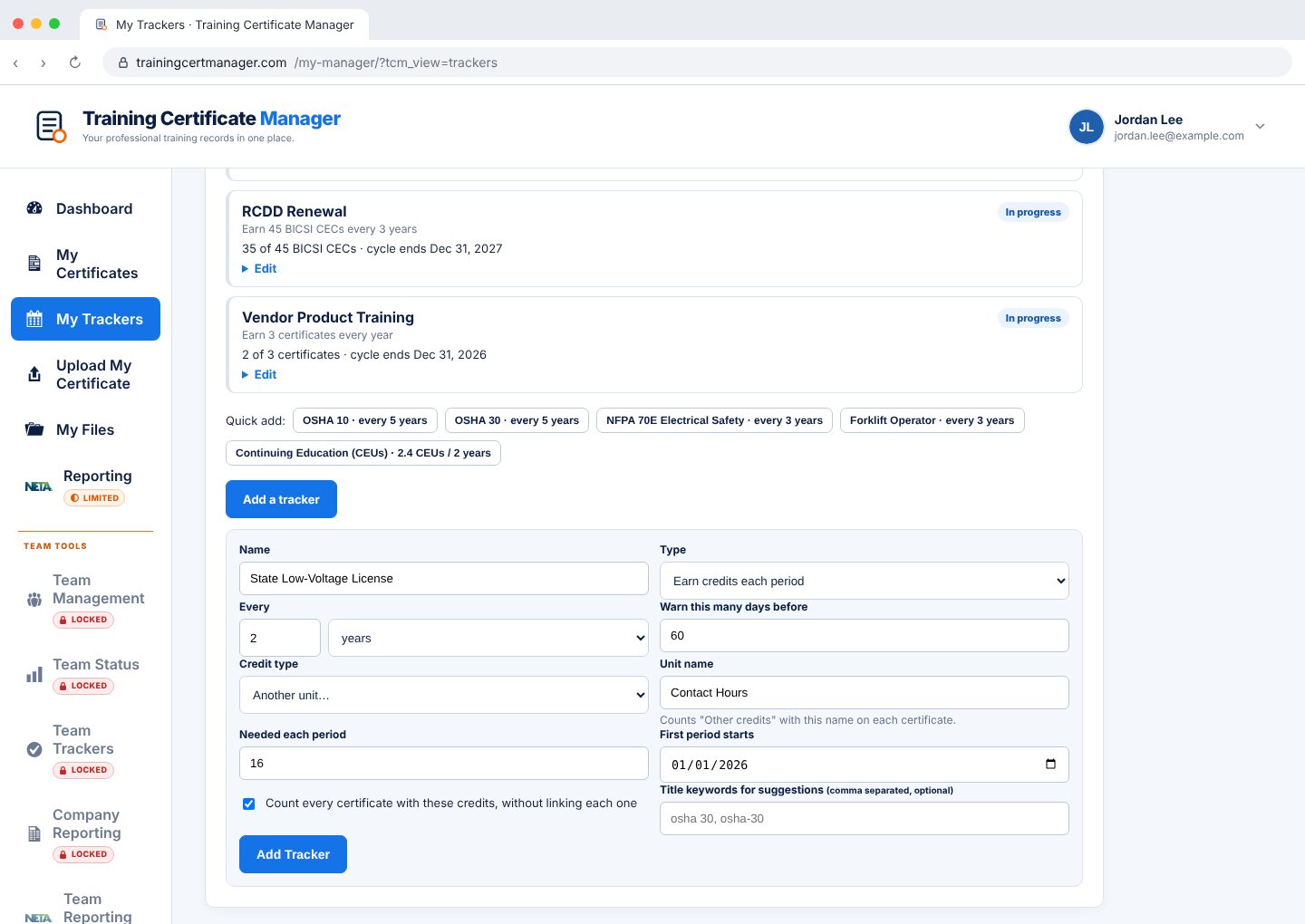
Not every license counts in CEUs. Choose a built-in unit, count certificates, or pick Another unit and type its name: BICSI CECs, contact hours, training hours, CPEs, whatever your license or policy uses.
Each certificate has an Other credits section with room for any unit. Trackers add up the matching credits in each period, and the dashboard totals every unit you record.
Deadline: December 31, 2028
Add your NETA certification number and Training Certificate Manager sets up your three-year CTD cycle for you. The first two digits of the number identify the certification year, and recorded credits are organized into the matching cycle.
Everyone gets the reports that fit their role, built from the certificates and credit values recorded in Training Certificate Manager.
Pick a three-year cycle, review the certificates and CTDs counted in it, then download your CTD Summary PDF or email it to yourself. Included free with your account.
Company Managers, Directors and Safety Managers search their technicians and download or email any employee's CTD summary. Managers can also add certificates and CTDs for employees.
With NETA Team Reporting unlocked, authorized company representatives download a combined employee PDF and a ZIP with one CTD summary per technician, organized to help prepare submissions to NETA.
Reports summarize credits recorded in Training Certificate Manager and support, but do not replace, NETA's official forms and process. Official balances, submissions and certification status remain with NETA at netaworld.org. NETA and the NETA logo are trademarks of the InterNational Electrical Testing Association. Training Certificate Manager is not affiliated with or endorsed by NETA.
Start from a template (OSHA 10, OSHA 30, NFPA 70E, First Aid / CPR, Forklift, CEUs) or write your own rule.
Check the trackers a certificate counts toward. Suggested matches are pre-checked from the title.
See who is current or due soon, get it in Needs Attention, and review Team Tracker status in company emails and PDFs.
A rule you set for your own training, either retake on a schedule (for example, OSHA 30 every 5 years) or earn credits each period (for example, 2.4 CEUs every 2 years). The tracker shows whether you are current, due soon, overdue, missing, behind or have met the goal.
The tracker still applies. The due date is the latest completion plus your period. If the certificate has its own expiration date that comes sooner, that earlier date is used.
The Company Manager, Directors / Managing Partners and Safety / Training Managers. Employees can see the requirements that apply to them but cannot change them.
When a certificate is edited, any tracker whose keywords appear in the certificate title is pre-checked as a suggestion. Nothing is linked until the person saves, and they can change the selection at any time.
Yes. Choose CEUs, PDHs, NETA CTDs or a number of certificates, or pick Another unit and type any name, such as BICSI CECs, contact hours or training hours. Add those credits in the Other credits section of each certificate and the tracker adds them up. Capital letters, spaces, dashes and a plural "s" are ignored, so "BICSI CEC" and "BICSI CECs" count as the same unit.
Yes. The monthly company email and the PDF report include a Team Trackers section with counts and the people who need action.
Add your NETA certification number. The first two digits identify the certification year, which sets your three-year CTD cycle, and recorded certificate credits are organized into that cycle.
Yes. Any company manager can download or email an individual technician CTD summary. With NETA Team Reporting unlocked, authorized company representatives can also download a combined employee PDF and a ZIP with one summary per technician to help prepare submissions. Official forms and submission are completed with NETA.
No. The site organizes the documents and credit values entered into the account. Official balances and certification status remain with NETA at netaworld.org.